Table Talk
A downloadable tool for Windows, macOS, and Linux
Features
Immersive Gaming Experience
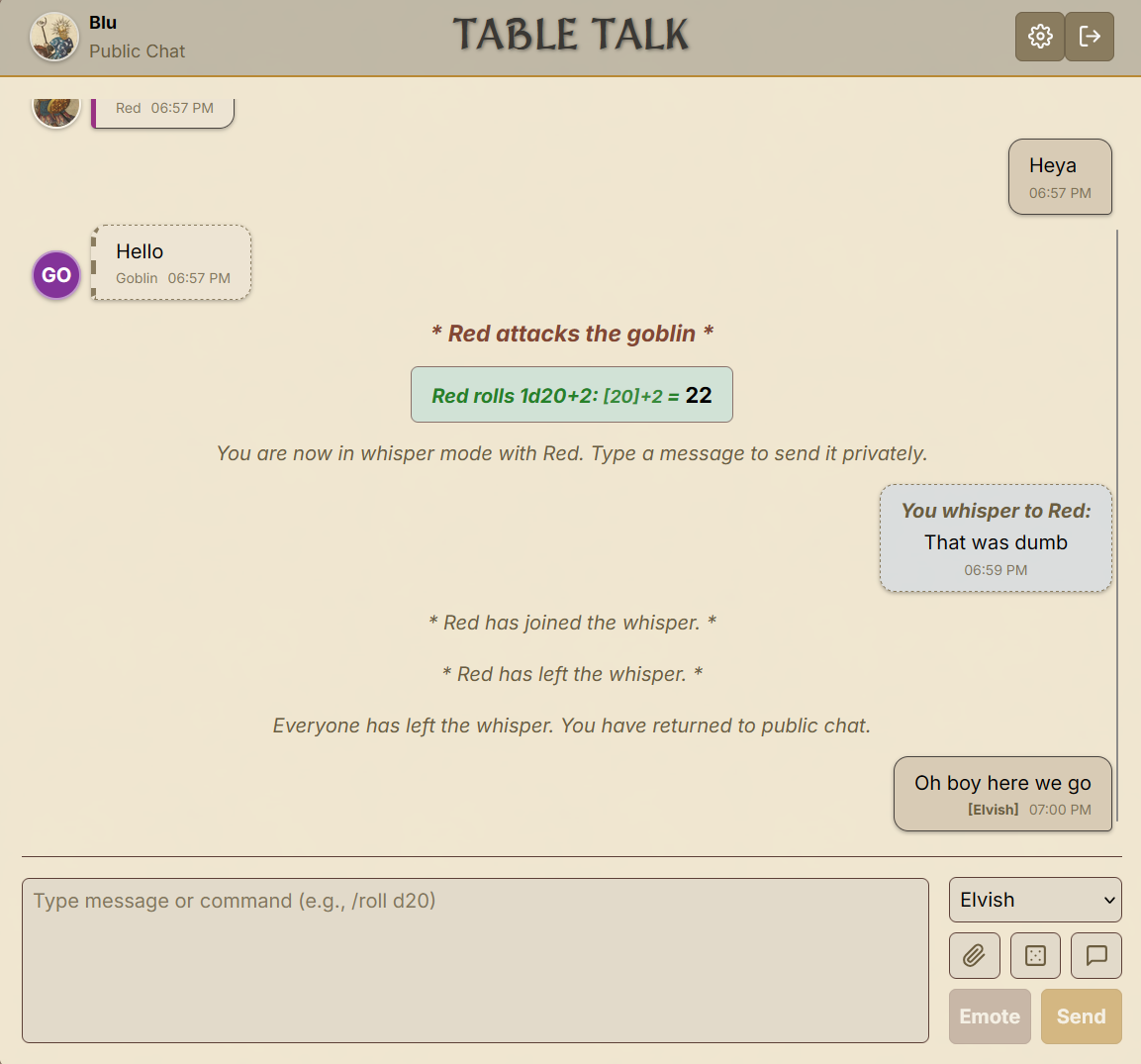
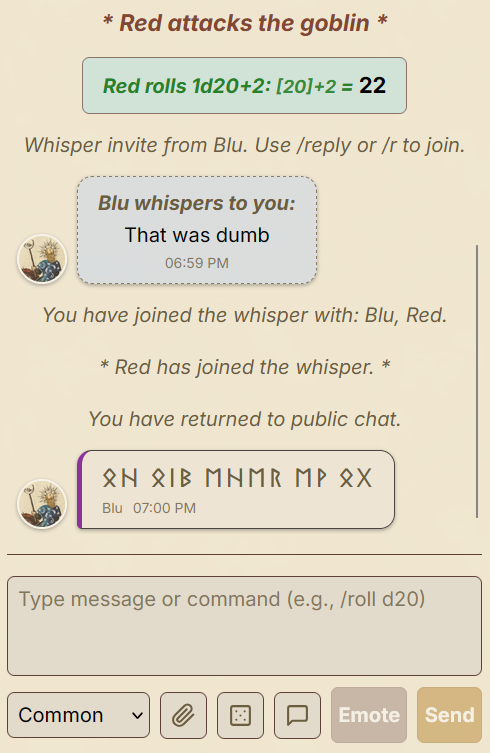
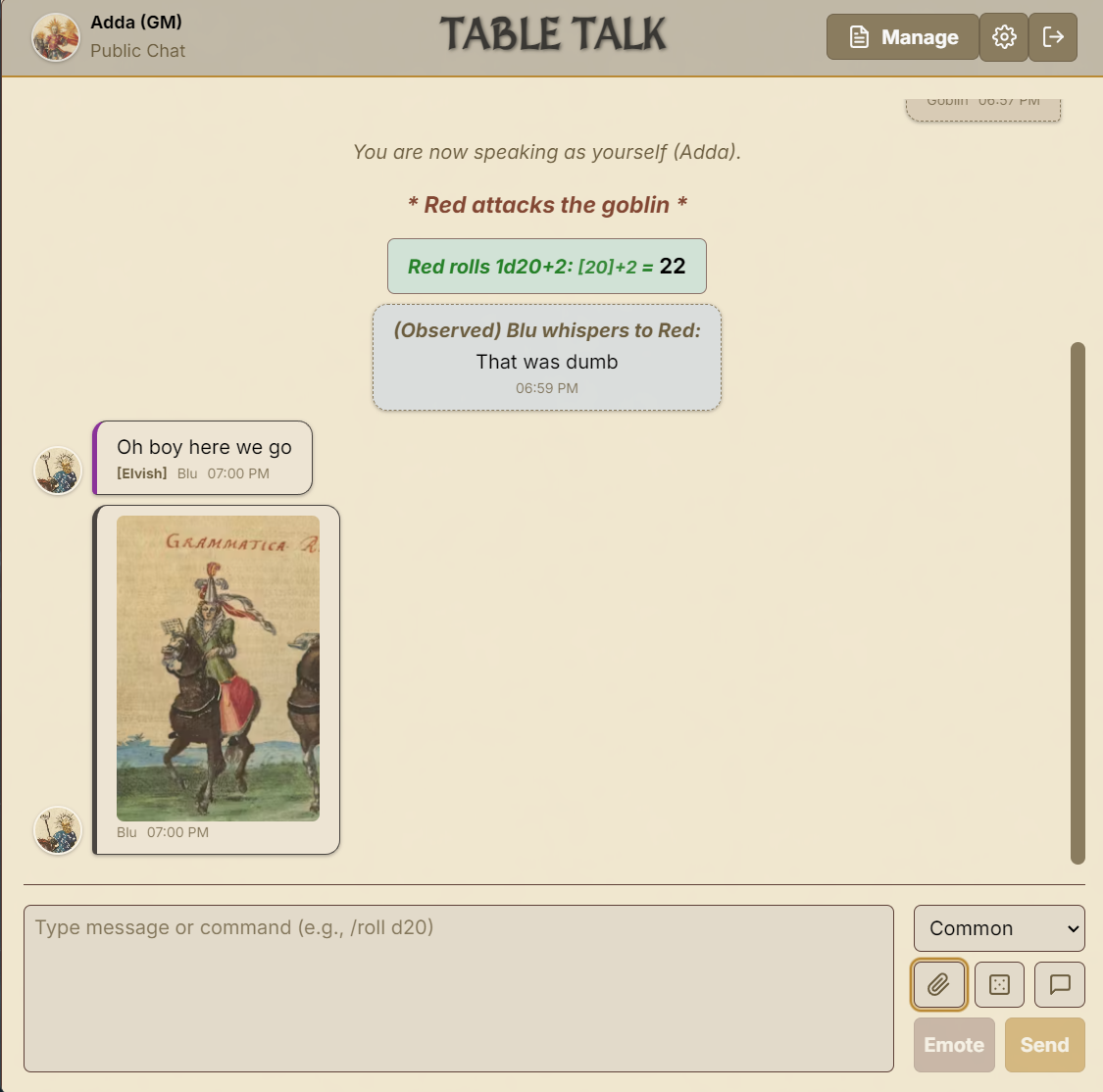
- Language System: Speak in different in-game languages with automatic obfuscation for unknown languages
- Empowered Table Talk: Send messages to the GM while other players are speaking to each other
- Private & Secure Chat: Your game's chat history is stored locally and securely
- Fantasy & Sci-Fi Themes: Choose themes that match your campaign's aesthetic
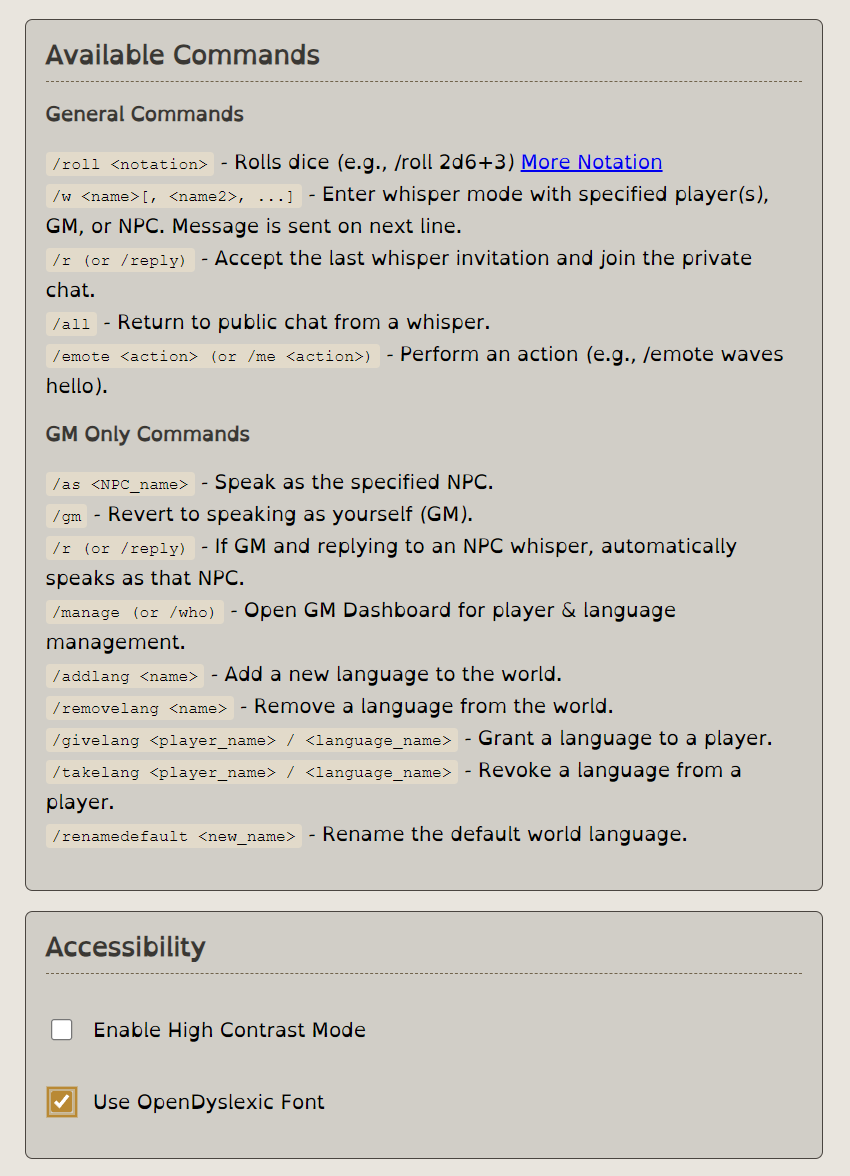
- Accessibility Options: High-contrast mode and dyslexia-friendly fonts toggle per user
Rich Chat Features
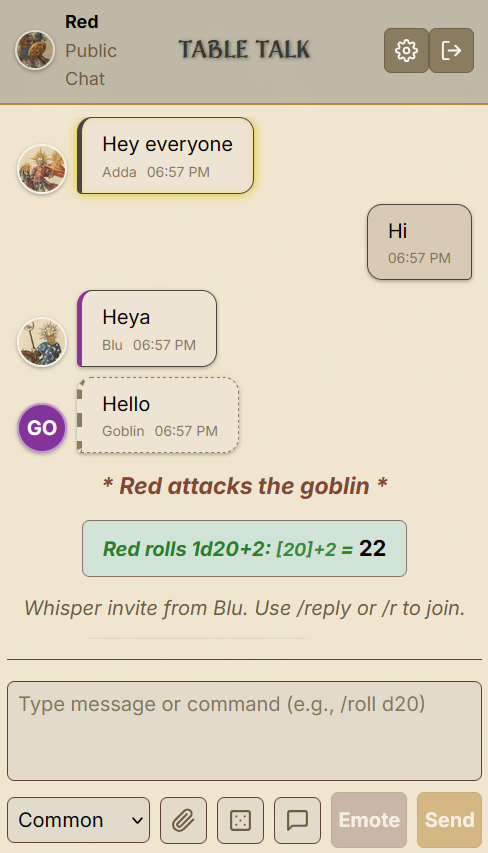
- Integrated Dice Roller: Roll dice directly in chat using standard notation (
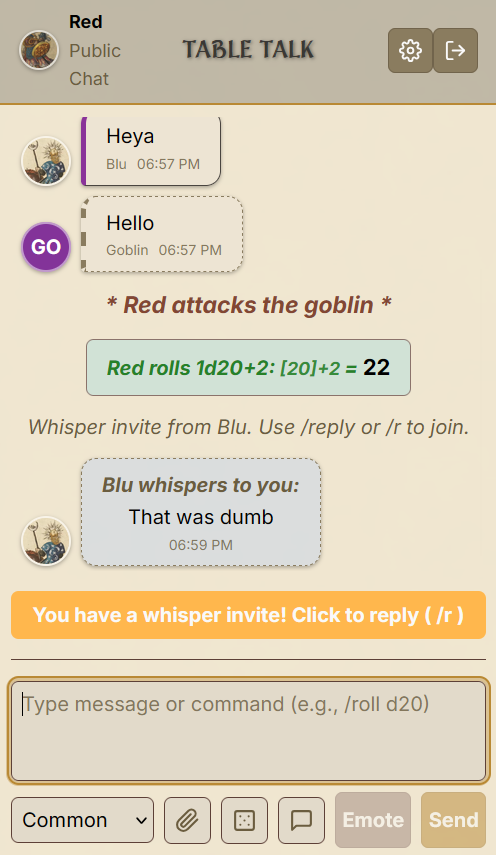
/roll 2d6+5) - Whisper Mode: Send private messages to specific players or the GM
- Emotes: Express character actions with
/emotecommands - Image Sharing: Share character art, maps, and visual aids
- Real-time Communication: Powered by Socket.IO for instant messaging
Game Master Tools
- NPC Management: Speak as different NPCs with the
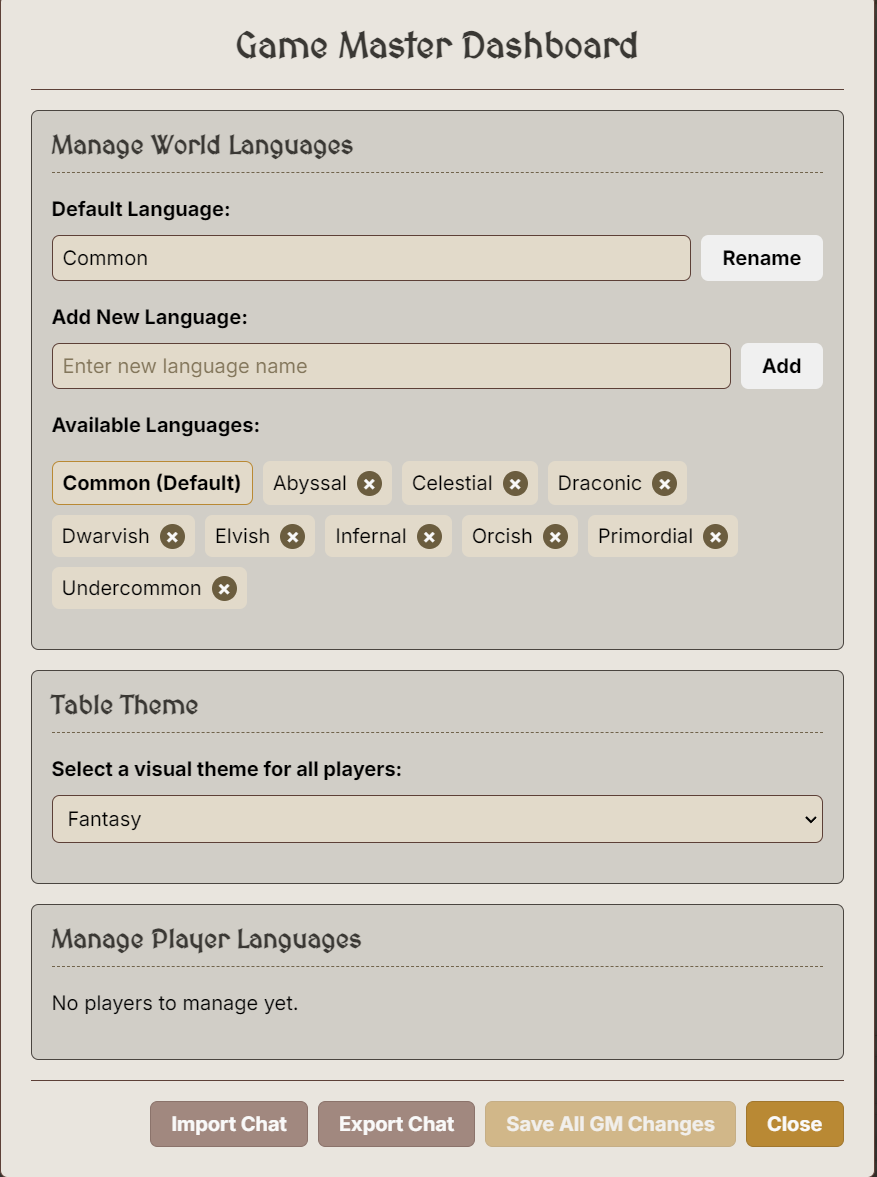
/ascommand - Player Language Control: Grant or remove character languages
- Chat Export: Save entire game sessions as JSON files
- Player Management Dashboard: Comprehensive GM controls
- GM Omniscience: The Game Master always understands all languages and sees all private messages
Cross-Platform Desktop App
- Windows, macOS, Linux: Built with Electron for universal compatibility
- QR Code Sharing: Quick mobile device connections
- Network Discovery: Automatic local network connection URLs
Quick Start
Creating a Game (GM)
- Install and/or launch Table Talk
- Allow access to local network
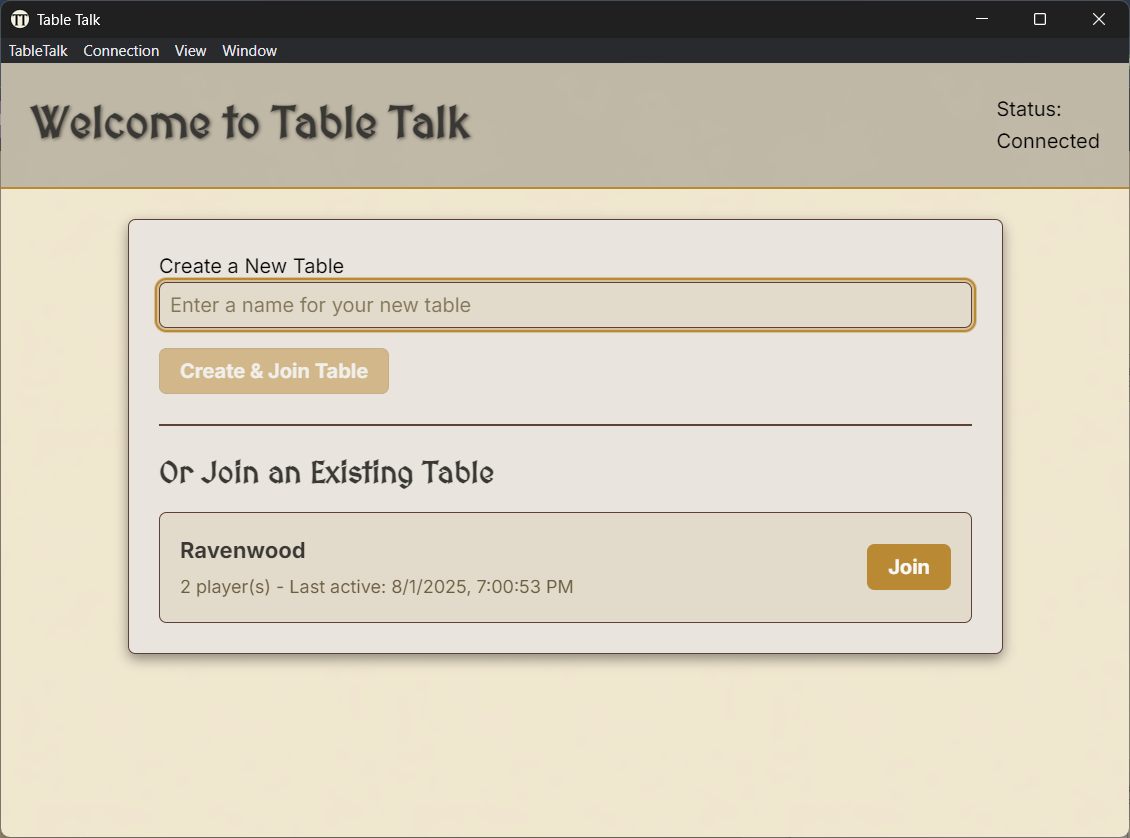
- Create a new table with your campaign name
- Set up world languages and pick a theme from the GM menu
- Share the connection URL or QR code with players
- Start your adventure!
Joining a Game (Player)
- Navigate to the GM's server URL
- Select your campaign's table from the list
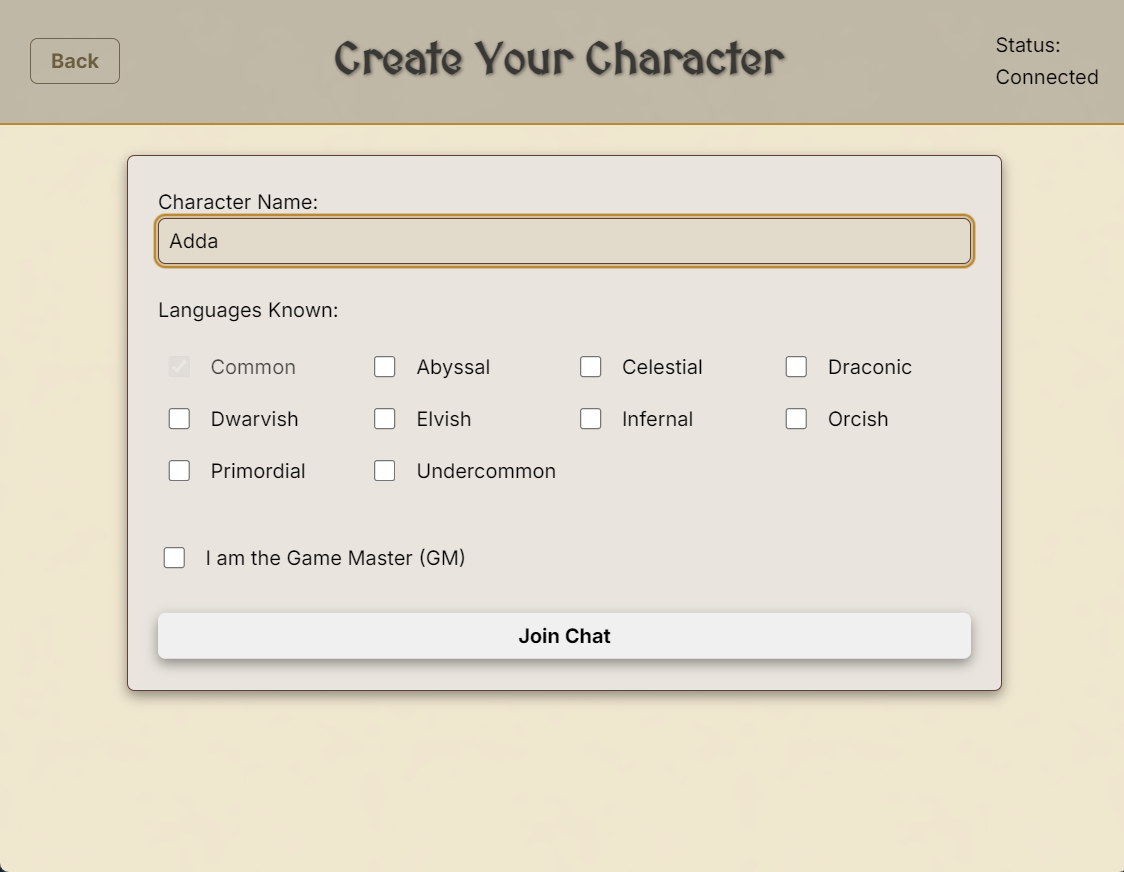
- Create your character:
- Choose a character name
- Select known languages
- TIP: enter the name of a previously created character to rejoin without selecting languages again
- Jump into the chat!
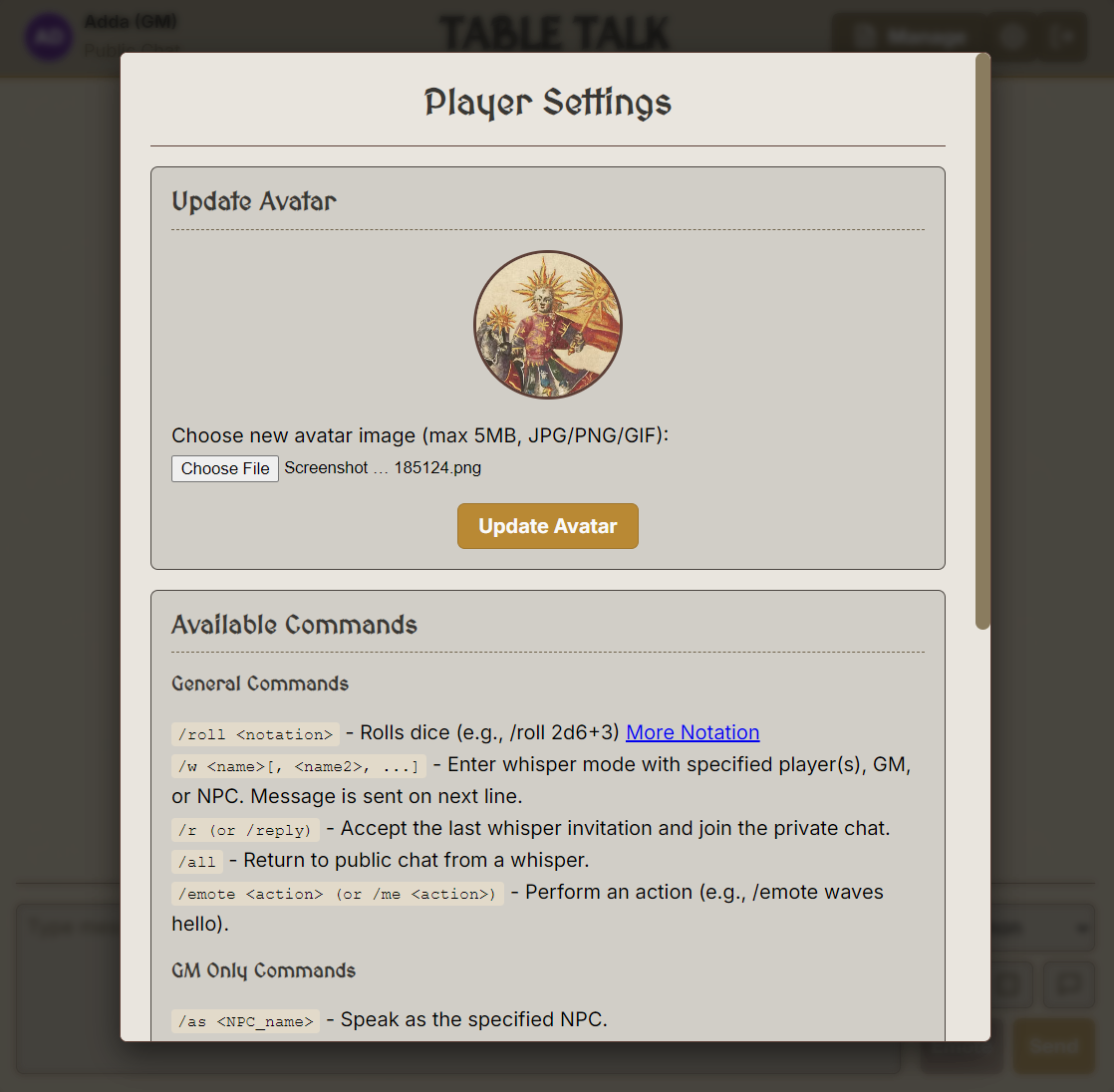
- Optionally upload an avatar from settings
Chat Commands
General Commands
/roll <dice>        Roll dice (e.g., /roll 2d20+5, /roll 1d100)
/w <player>         Whisper to a player (/w Aragorn Hello!)
/r or /reply        Reply to the last whisper
/all                Return to public chat from whisper
/emote <action>     Perform an action (/emote draws sword)
/me <action>        Same as /emote</action></action></player></dice>
GM-Only Commands
/as <NPC>           Speak as an NPC (/as Shopkeeper)
/gm                 Return to GM mode
/manage             Open GM dashboard
/givelang <player>/<lang>   Grant language to player
/takelang <player>/<lang>   Remove language from player
/save               Export chat log and game state
/settheme <theme>   Change table theme (fantasy/sci-fi)
For more : https://github.com/Soundlvl/table-talk
Download
Click download now to get access to the following files:
Leave a comment
Log in with itch.io to leave a comment.